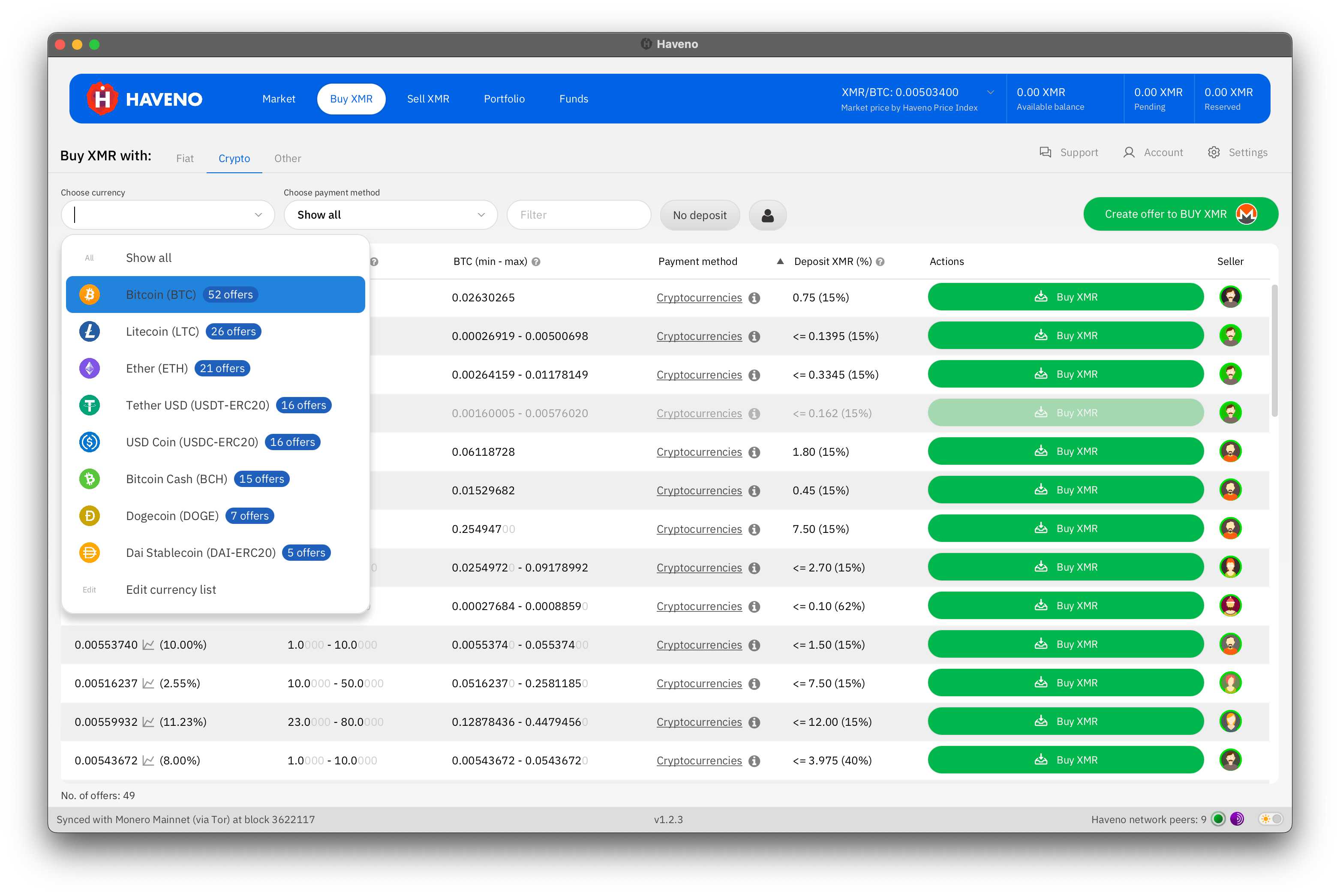
Haveno lets people buy and sell Monero directly with one another. You choose an offer, agree to its terms, and complete the payment with another trader. The application coordinates the exchange and holds the trade’s XMR in a shared wallet while both sides complete their steps.
That makes Haveno a practical way to participate in a decentralized exchange, or DEX. You can use familiar payment methods while learning how trading works with a wallet on your own computer. This guide follows the desktop application, from installation to your first completed trade.
What makes Haveno DEX different?
The Haveno project develops open-source software built around Monero and Tor. Monero is the base asset: every market pairs XMR with another currency or asset. Tor carries communication between participants, and the application creates your personal wallet locally.
People supply the offers. You can accept someone else’s price or publish your own, including the amount and payment method you want. Haveno has no separate exchange token to buy before participating.
Its trade protocol uses a two-of-three multisignature wallet. The buyer, seller, and arbitrator each hold one key. Two keys authorize a payout. Normally, the traders complete the exchange together. An arbitrator can help resolve a disagreement, but cannot move the shared funds alone.
Haveno itself does not require identity verification. Your chosen payment method still determines which details the other trader receives. A bank transfer, for example, can share your account name. Our DEX and CEX guide explains the broader differences.
Choose a network and install
Start with the distinction between the software project and the network you join. Haveno’s core repository develops the platform. Independent publishers distribute applications configured for their networks, set trading fees, and appoint arbitrators.
For real trades, choose a mainnet network and download its installer. Haveno-Reto’s release page is one example of a community distribution. Follow that publisher’s instructions for your operating system and verify the download using its published signing information. Our PGP guide explains signature checks.
Open the application and allow it to connect to Tor and synchronize with Monero. Wait until its status indicates that it is ready. Haveno also supports running your own Monero node, which gives your wallet a local connection for synchronization.
Add your payment method
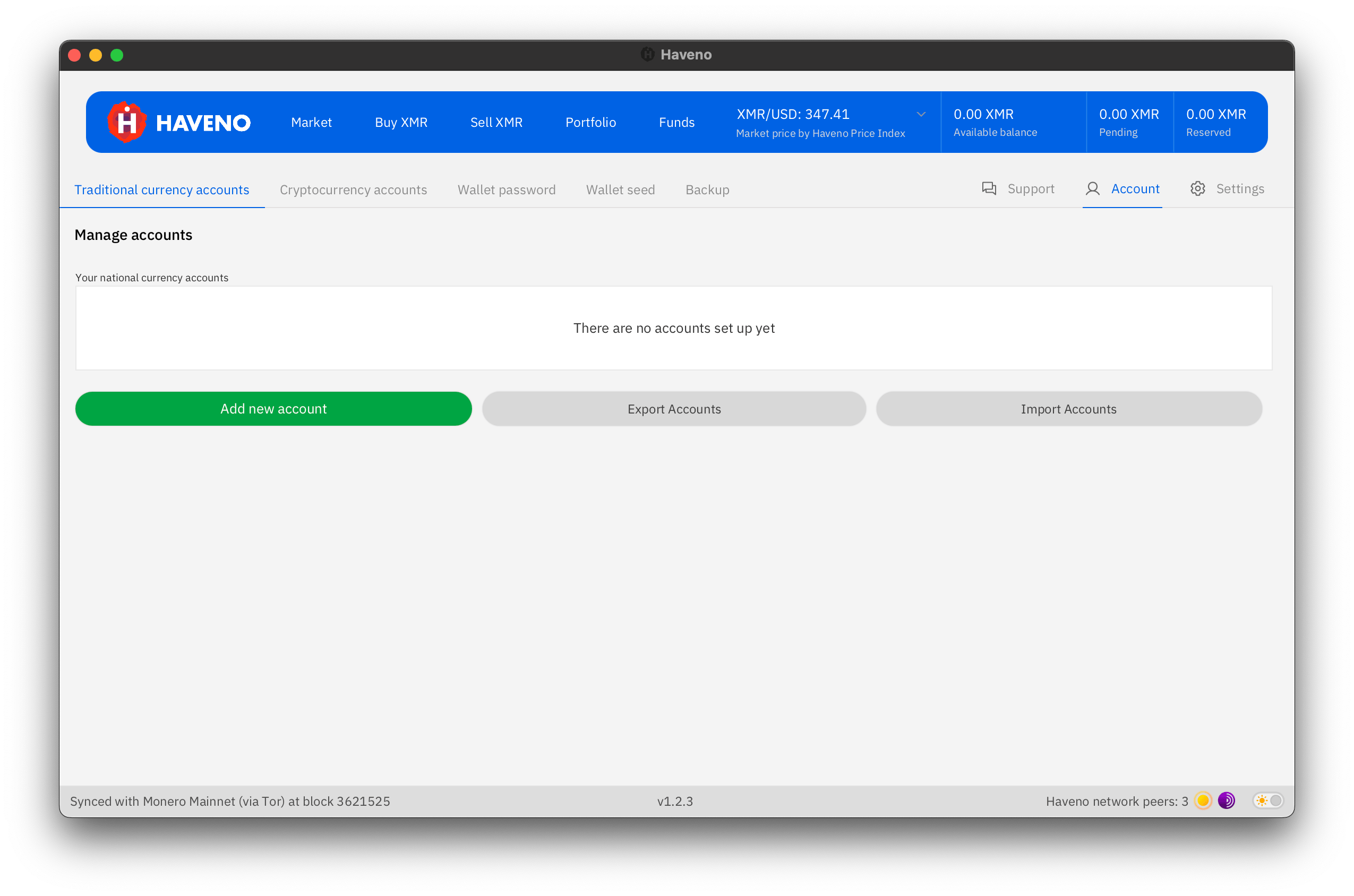
Open Account, choose the appropriate currency account section, and select Add new account. This tells Haveno how you intend to pay for XMR or receive payment when selling it.
Choose a method you already know. The payment-method directory describes options such as SEPA, Faster Payments, and cryptocurrency transfers. Availability depends on the offers in your network and market.
Enter the required details exactly as your payment provider records them. Save the account with a recognizable name. You can add more accounts later, which makes it easier to trade in different markets without entering the same information repeatedly.
For SEPA, the setup instructions cover your account name, IBAN, and BIC. Keep the payment account you select consistent with the method specified in the offer.
Find an offer or publish yours
Choose Buy XMR or Sell XMR, then filter by currency and payment method. Read the amount range, price, deposit, and additional terms. Pick a modest first trade so you can learn each screen comfortably.
Taking an offer means accepting an existing listing. Making an offer means publishing your own terms and waiting for another person to accept them.
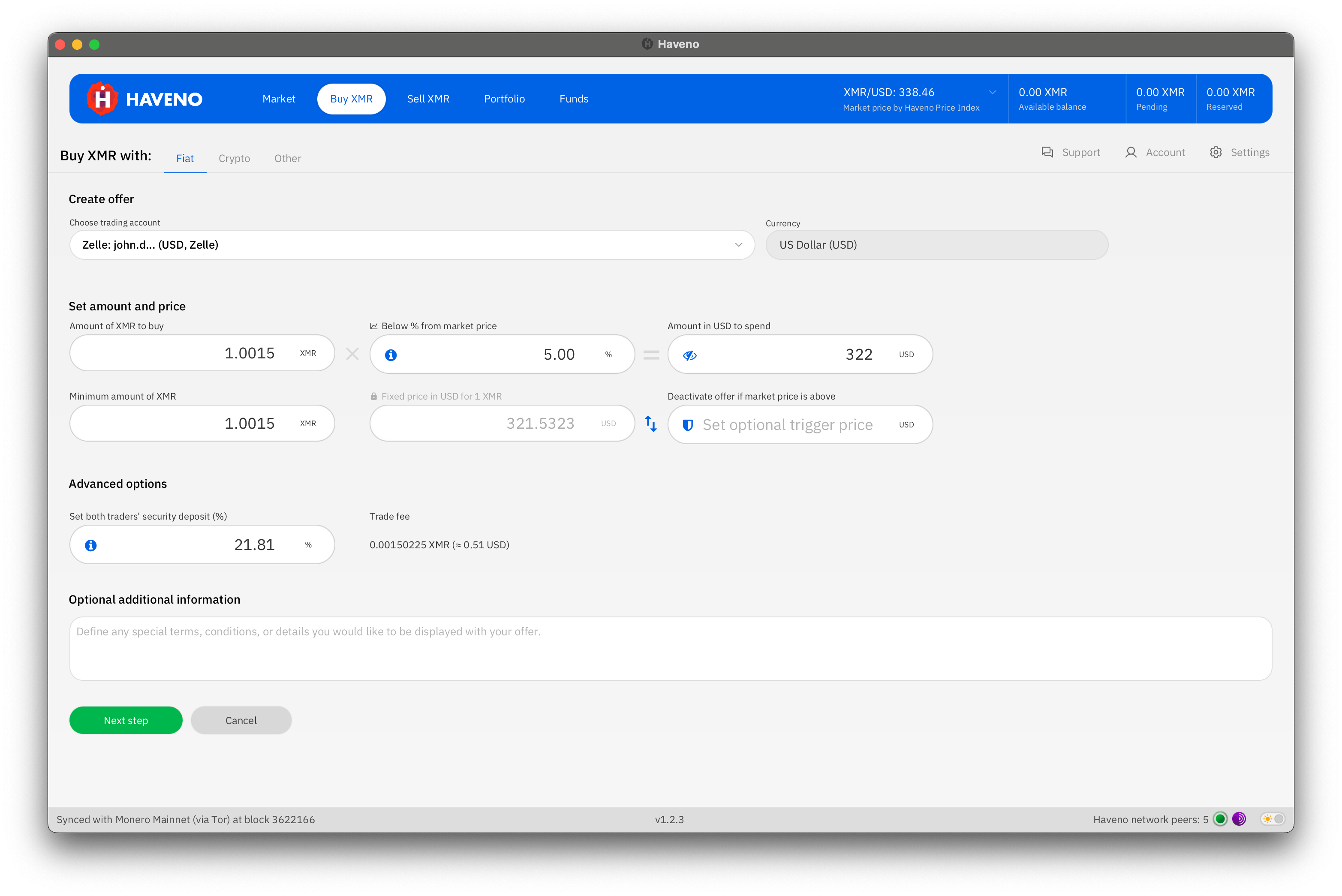
To make a buy offer, select Create offer to BUY XMR. Choose your payment account, enter the amount, set the price, and review the deposit and fee. Continue through the funding and confirmation screens. The desktop walkthrough explains this sequence.
Check the total payment as well as the quoted price. A percentage beside a market price describes your offer’s relationship to that reference, while the final payment amount tells you what you will send or receive.
Prepare the deposit
Standard offers use an XMR security deposit that returns when the trade completes normally. Keep this separate in your planning from trading fees and the XMR being bought or sold. Haveno shows the funding requirement before you confirm.
You can fund your wallet through Funds, then Receive funds, or fund an offer from an external wallet when prompted. Copy the displayed XMR address and allow the funds to become available.
Buying your first Monero is also possible through qualifying no-deposit offers. These are limited to 1.5 XMR and require a passphrase from the seller. Use the offer’s contact instructions to arrange access, then follow the normal trade screens.
Complete the payment together
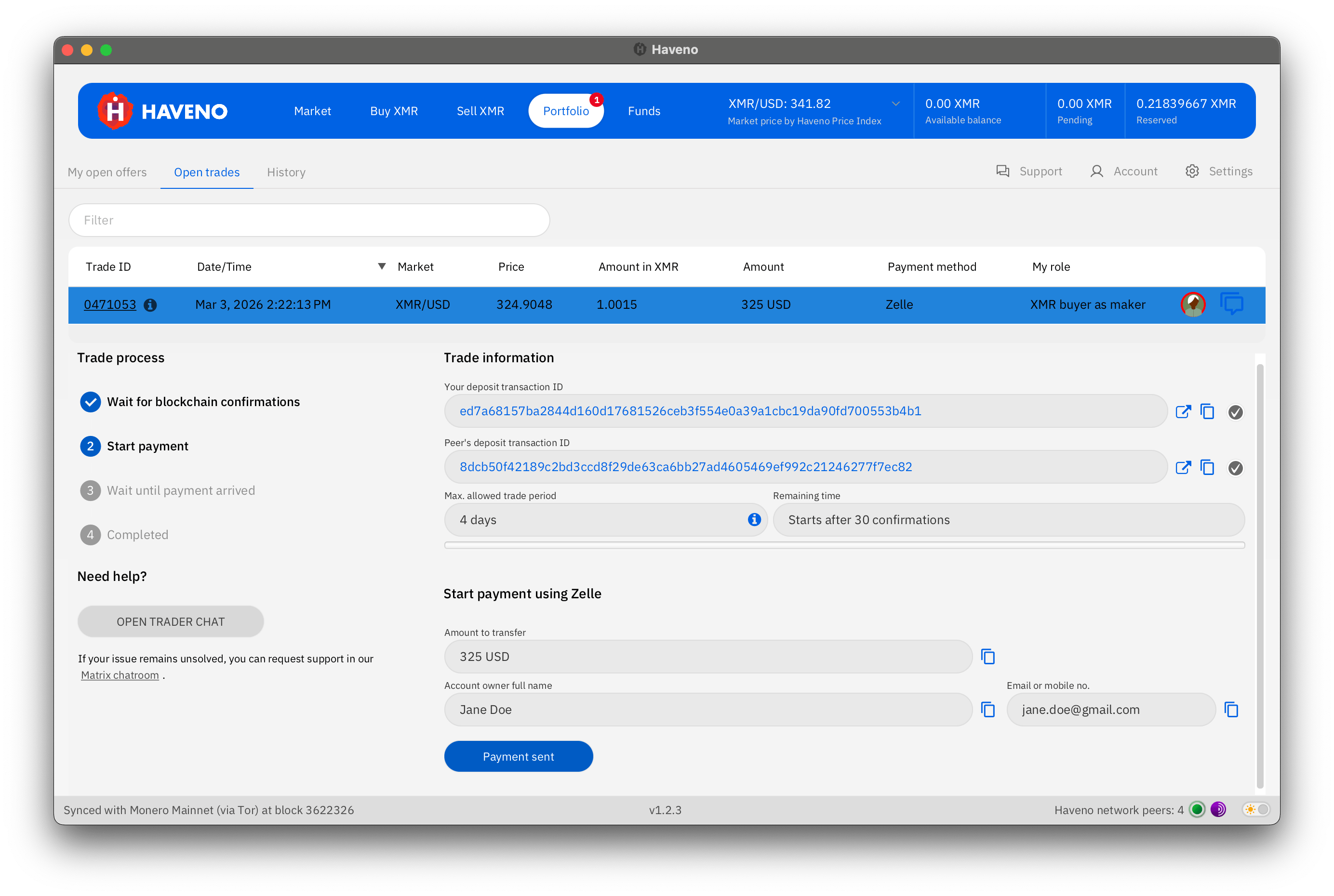
Once a trade begins, follow its progress in Portfolio. Wait for the application to enable the payment step. The buyer sends the agreed payment outside Haveno using the displayed details, then selects Payment sent.
The seller checks their payment account and confirms receipt in Haveno. The application then completes the XMR payout and returns the deposits. Use trader chat for questions and keep the trade’s payment deadline in view.
Receive, back up, and trade again
To move available XMR to another wallet, open Funds, select Send funds, and review the address, amount, and fee before confirming.
Use Account → Backup to save the full application data. Store your wallet seed offline, encrypt backups, and keep both private. Haveno’s backup guide explains how these preserve your wallet, payment accounts, and trade records.
Some payment methods use account signing to increase buying limits over time. A qualifying purchase from an eligible signed seller starts that process. Check your account’s displayed limit and signing status before arranging a larger trade. The account-signing guide explains which payment methods qualify.
Your next trade can reuse the payment account you created. Once you know the process, publishing an offer lets you contribute a price and payment option that another Monero user can accept.
Screenshots: Haveno documentation, showing version 1.2.3 examples. Prices and offers are illustrative. Images converted to WebP under the BSD license.