Monero / Privacy / Wallets
Using Monero: Wallets, Nodes, and Your First Transaction
Set up a Monero wallet, protect its seed, choose a node and make a small test payment. Part three covers backups, confirmations and common mistakes.
Introduction to Monero, part 3 of 3. 1. Fundamentals · 2. Privacy · 3. Wallets and nodes
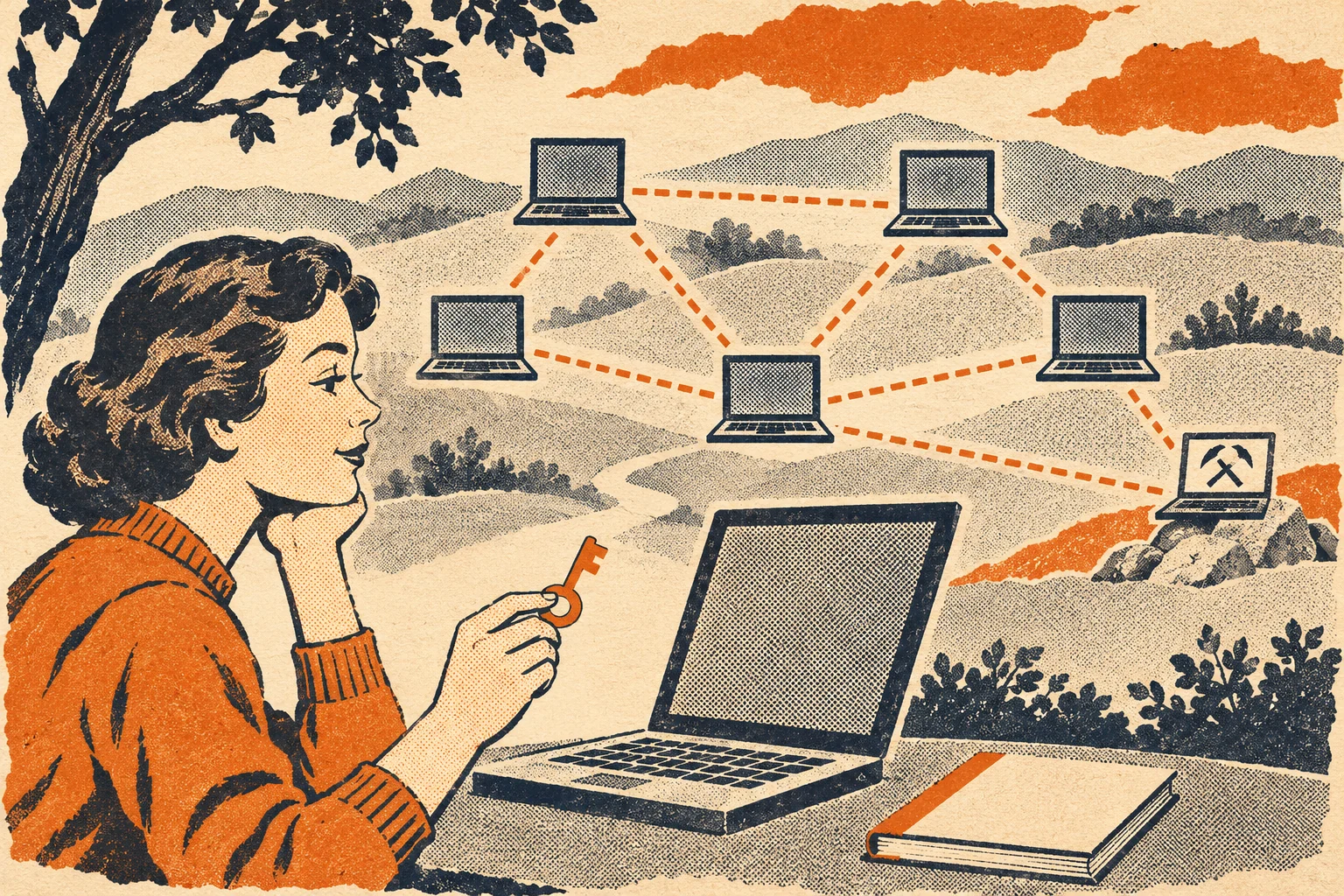
To receive and send Monero, you need a wallet and access to a synchronized node. You do not need to become a miner. The wallet manages spending keys, while the node supplies and checks blockchain data. Keeping those roles separate makes setup and troubleshooting easier.
This third part turns the payment model from part one and the privacy limits from part two into a practical first-payment workflow. Wallet capabilities and references were checked on November 8, 2026. Use current download pages when installing.
Nodes: checking the network for yourself
monerod is the Monero daemon, the program that maintains a blockchain database, connects to peers, validates transactions and blocks, and provides data to wallets. The daemon can run on the same computer as your wallet, but it checks network data rather than managing your spending keys.
A full node verifies the blockchain's rules. An unpruned node also keeps the full historical data it received. A pruned node performs validation but discards selected older transaction proof data after checking it. Pruning reduces retained storage, not the obligation to validate new blocks. It does not shrink the database to nothing or remove the bandwidth and time needed for initial synchronization.
A remote node is a node accessed over a connection rather than one running locally for your wallet. It can help a low-power device use Monero without keeping the blockchain. An ordinary wallet using a remote node signs locally and does not need to give that node its seed or private spend key.
The operator can observe your connection, requests and transaction submissions. A malicious node can withhold information, present a misleading network view or interfere with service. Whether it sees your IP address depends on routing. Different light-wallet architectures can disclose more than ordinary daemon RPC, including view information, so "remote wallet" and "remote node" should not be treated as interchangeable terms.
Running your own synchronized node reduces reliance on somebody else's answers and avoids sharing wallet requests with a public operator. Your node still connects to peers, and a poorly secured host or exposed RPC service creates its own risks. A node is not an automatic anonymity device.
Tor and I2P can change which network addresses peers or node operators see. Configure the wallet-to-node connection and node transaction relay deliberately. Turning on one proxy setting does not establish that every related connection uses it. For available endpoints, see Monero Love's public nodes, the wallet connection guide and Tor and I2P relay details. Check official daemon options before copying a configuration.
Wallets, backups and recovery
A self-custody wallet gives you responsibility for the keys. A custodial wallet or exchange account instead lets a service control them and keep an account balance for you. An app's branding alone does not tell you which arrangement applies. Ask who can authorize a withdrawal and who can restore access.
A seed phrase is a human-readable backup used to reconstruct wallet secrets. Monero wallets do not all use the same seed format or word count. Record the wallet application, seed type and any extra passphrase with your recovery plan. A wallet-file password and a seed passphrase are different things. Losing an extra passphrase can make the seed insufficient.
Never share a seed with support staff, a website, a transaction explorer or someone offering to restore access for you. Do not paste it into chat, email or a cloud note. Keep a legible offline backup somewhere protected against theft and physical damage. If you test recovery, use trusted wallet software on a device you control. Entering a hardware-wallet seed into an ordinary computer defeats the separation the device was meant to provide.
Restoration and synchronization
Restoring a wallet reconstructs keys, then scans blockchain data to find its outputs. A restore height tells the wallet where to start scanning. Use a height or date before the first possible receipt. Starting too late can miss old receipts and make funds appear missing. Starting too early normally means extra scanning work.
Wallet synchronization and node synchronization are separate. A node may be caught up while a restored wallet is still scanning its history. The wallet may recover spendable funds without recovering local labels, address-book entries or every outgoing payment detail. Preserve wallet-file backups when those records matter, as well as the seed.
Addresses and balances
The primary address belongs to the wallet's main account. Subaddresses provide more receiving identifiers derived from the same wallet. Give different subaddresses to different counterparties when you want to reduce address-reuse linkage outside the blockchain. A subaddress does not create a separate blockchain or require moving funds to a new wallet.
An integrated address combines a primary address with a short payment identifier. It is an older payment-accounting mechanism that remains supported in the reviewed software. It should not be confused with the removed practice of using standalone long payment IDs. The current documentation still discusses integrated addresses for automated payment collection. For ordinary personal receiving, use the wallet's subaddress flow. If a service supplies an integrated address, use that address intact and follow current wallet instructions.
The displayed total balance can include outputs that are not yet spendable. Unlocked balance excludes outputs still subject to waiting rules. Sending from a large output can temporarily lock the change created by that transaction. A wallet can have a positive balance but be unable to send that full amount immediately.
Choosing a wallet
The official Monero GUI and CLI are maintained reference wallets. The GUI provides a graphical interface, while the CLI is controlled through text commands. Both can work with a local or remote daemon. At this review, their stable release was v0.18.5.4. Use the project's current download page when installing rather than treating that version number as a permanent recommendation.
Feather is an open-source desktop Monero wallet for Linux, Windows and macOS, with a Tails distribution. Its current download page lists version 2.9.1. Cake Wallet provides another actively maintained wallet option, including mobile use. Features, seed formats and supported devices vary, so follow the chosen application's current setup documentation. This guide does not recommend an exchange or an in-app purchase service.
Hardware wallets keep signing secrets on a separate device. Some Ledger and Trezor models work with supported Monero wallet software, but compatibility depends on the model, firmware and host application. Check the official download page's hardware-wallet section and the device vendor before buying or configuring one. Verify receiving addresses and send details on the device when supported. A hardware wallet cannot tell whether a recipient is honest or make a revealed recovery seed safe again.
Your first Monero transaction
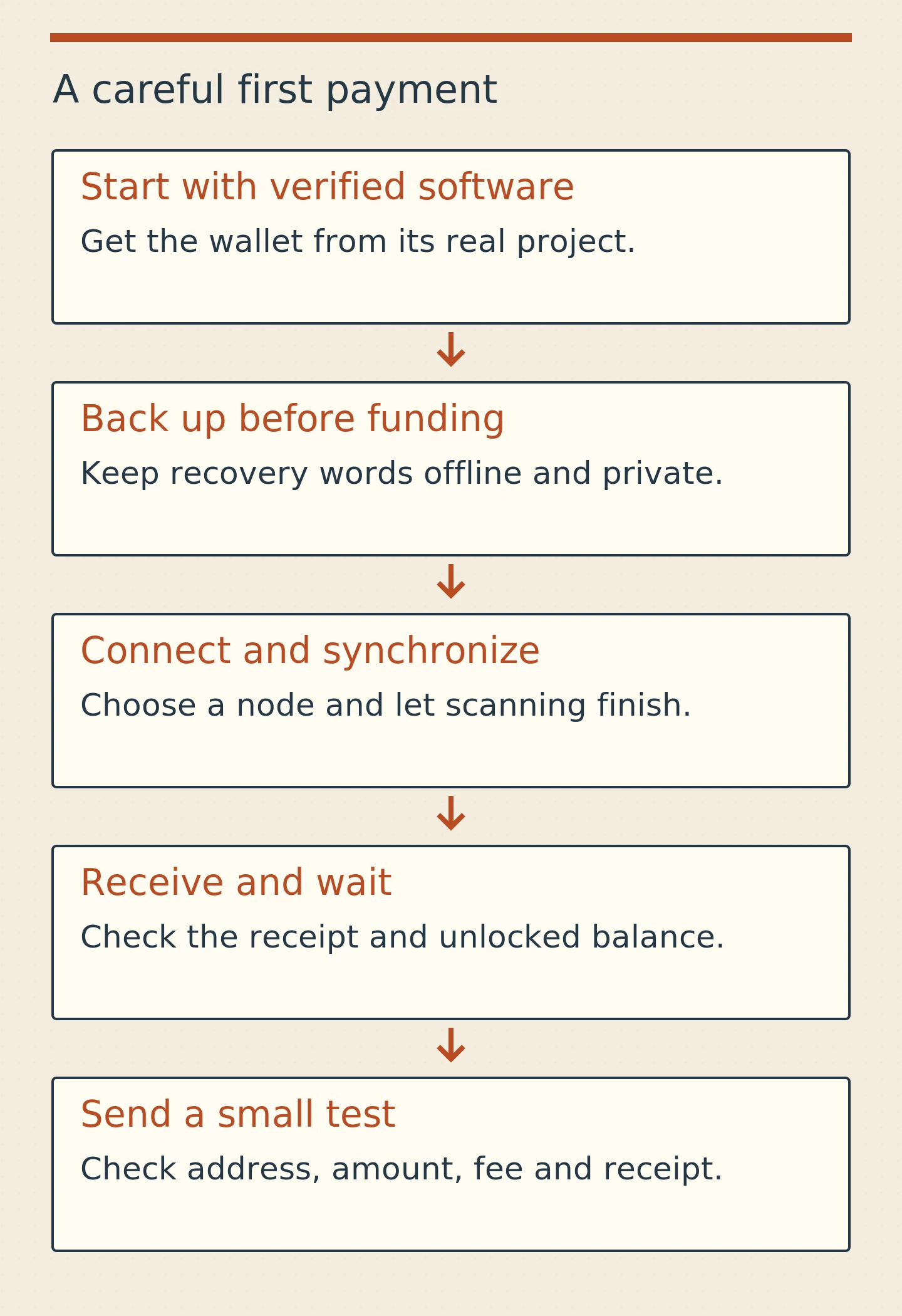
Use an amount small enough that a mistake would be manageable. You do not need to mine or operate a public server to send an ordinary payment.
- Download a wallet. Begin at the official project or wallet website, not a sponsored search advertisement or an unsolicited message. Follow its own links to supported downloads or app-store listings. Check that the software is current.
- Verify the download where supported. For desktop Monero releases, verify the signature on the published hash list and compare the downloaded file's hash with that signed list. A hash copied from the same compromised download page is not independent authentication. Use the official verification instructions and our PGP signature guide.
- Create a mainnet wallet. Mainnet is the network that uses real XMR. Testnet and stagenet use separate coins. Choose a strong wallet password and note the recovery format the application provides.
- Back up before funding it. Copy the recovery words exactly, in order, and complete the application's backup check. Store any required extra passphrase securely. Keep the seed out of screenshots, messages and support tickets.
- Choose a node connection. A local node gives you independent validation but takes time and resources to synchronize. A remote node is quicker to start with and has the privacy tradeoffs described above. Use current connection instructions and wait for the wallet to finish syncing.
- Receive a small payment. Generate a receiving subaddress, copy it or show its QR code, and verify the full address through the intended channel. A friend can send a small amount, or you can accept XMR for something you already intended to sell. Any acquisition service needs its own availability, custody and legal checks.
- Check your wallet's receipt and spendability. Confirm the amount in your own synchronized wallet. A screenshot sent by the payer is not proof of payment. Wait for the required confirmations and for the output to become unlocked.
- Send a small test payment. Paste the recipient's address, check it carefully, enter the amount and review the fee and total. If using a hardware device, check its display too. Once broadcast, do not assume a Cancel button can retrieve the payment.
- Confirm completion with the recipient. Keep the transaction ID for reference and ask the recipient to check their wallet. An explorer can show that a transaction was included in a block, but normally cannot show that it paid that recipient or reveal the amount. If there is a dispute, use the wallet's supported payment-proof procedure with the recipient's address.
The official payment-proof guide explains what evidence a sender can disclose. Share such evidence deliberately. A transaction proof is different from giving somebody your wallet seed.
Common questions and misconceptions
Is Monero illegal?
The answer depends on jurisdiction and activity. Laws can distinguish possession, payments, exchange services, custody, taxation and sanctions. A platform removing XMR is not by itself proof that owning XMR is illegal in every place it serves.
For a concrete example, the EU's Regulation 2024/1624 contains restrictions on anonymous accounts and accounts involving anonymity-enhancing coins for specified financial institutions and crypto-asset service providers. Its general application date is July 10, 2027. That is not the same statement as a blanket worldwide ban on individuals holding a self-custody wallet. In the United States, the IRS treats digital assets as property for federal tax purposes. Private transactions do not remove reporting obligations. Check current rules for your jurisdiction and activity rather than relying on a global yes-or-no label.
Is Monero completely anonymous?
No. It provides strong default on-chain privacy under its cryptographic assumptions, with limits from decoy selection, network observations, devices and external records. "Untraceable in every circumstance" is too broad a claim.
Can a transaction be reversed?
There is no central chargeback mechanism. A recipient can send a refund as a new transaction. A chain reorganization can replace recent blocks, so confirmations matter. A sender cannot rely on that possibility to cancel a confirmed payment to the wrong address.
Can somebody see my wallet balance?
A stranger normally cannot read it from your public Monero address alone. Someone with the right view information, spending records, wallet files or access to your device may learn much more. A custodial service already knows the balance it records for your account.
Does Monero have unlimited inflation?
Its supply has no lifetime cap, but tail emission adds an approximately fixed amount per target year. The percentage increase falls as supply grows. Part one calculates the annual issuance. Supply issuance and changes in purchasing power are different measurements.
Is Monero only used for illicit activity?
The protocol supports ordinary payments as well as transactions that may break laws. Its privacy design does not establish the purpose of every payment. Claims about the percentage of lawful or unlawful use need a dataset and a method, neither of which can be inferred simply from hidden amounts.
Can governments or companies trace Monero?
They may investigate people through devices, service records, surveillance or statistical analysis. Monero makes direct public-ledger tracing substantially harder than following transparent input-output links. It does not justify a promise that a sufficiently well-informed investigator can never connect a payment to a person.
Does a remote node expose my funds?
Using ordinary remote-node RPC does not require handing over spending keys, so the connection alone does not let the operator sign away funds. The operator may still learn connection information, mislead the wallet about network data or disrupt service. Verify that an application's architecture really is local signing with a remote daemon.
Is mining profitable, and is running a node the same thing?
Profit depends on hardware efficiency, electricity, network difficulty, reward value and fees. Gross mining revenue is not profit. A node validates and relays data without necessarily doing mining work. Simply running a non-mining node does not earn block rewards.
Where to read next
For a first payment, continue with connecting a wallet and verifying a download. For independent validation, start with monerod and pruning. For separating everyday observation from spending authority, read the offline-wallet guide.
The A-Z glossary defines terms used throughout this guide. Its longer references on RingCT, key images, RandomX and subaddresses explain individual mechanisms with implementation sources.
Primary references include the official user guides, technical documentation, research publications and stable source release. When a future upgrade changes a mechanism, the release and its activation rules take precedence over an older explanation.