Monero / Privacy / Atomic Swaps
How to Use BasicSwap on Tails and Whonix
Set up BasicSwap for Whonix, compare Bitcoin and Monero backends, and plan authenticated access from Tails with Tor routing, backups and recovery checks.
BasicSwap lets two people trade Bitcoin and Monero without depositing with an exchange. Its distributed order book handles offer discovery without a central matching service.
Running it means looking after wallets, blockchain connections and swap state. Whonix provides a persistent environment with a separate Tor gateway. Tails forgets ordinary session files at shutdown. A persistent BasicSwap host is a better place for an unfinished swap, with Tails providing browser access.
This guide separates those approaches. Tor cannot guarantee anonymity. The swap software still needs to run while a trade finishes.
Verification status. Instructions checked November 7, 2026 against BasicSwap 0.19.1, released October 27. Package installation and CLI startup succeeded on a separate Linux host. Whonix installation, live Tor routing, Tails access and end-to-end swaps have not been tested.
This is the atomic-swap part of our series. The RetoSwap guide covers trades backed by multisignature escrow and arbitration. The Qubes workstation guide puts the applications in separate persistent qubes.
How BasicSwap fits together
The application serves a local web interface and controls coin wallets through RPC, an API intended for software on the same machine. Particl supplies the default SMSG messaging network. BasicSwap can also exchange offers and negotiations over SimpleX and Nostr. Keep the default transport for a first installation to reduce the number of components to diagnose. Message networks
Supported assets include Bitcoin, Monero, Litecoin, Particl and Wownero. Script-capable pairs can use hash time-locked contracts. BTC/XMR uses adaptor signatures because Monero lacks Bitcoin-style scripting. The released source documents both forward and reversed negotiation.
Not every supported coin can trade with every other coin through every protocol. Check the pair offered by this release and its wallet mode before funding. Support for BTC/XMR does not imply that XMR/XMR-like pairs or every lightweight mode combination work.
Atomicity links the payments and recovery paths. It does not promise a good price or instant settlement. Fees, unavailable counterparties and missed recovery actions remain concerns. Our atomic-swap explainer covers the trade-offs in more detail.
Choose a host for BasicSwap
Use a dedicated, persistent Non-Qubes-Whonix Workstation for the primary setup. Its only virtual network adapter should reach Whonix-Gateway's internal network. The Gateway handles Tor. Put BasicSwap, wallets and blockchain data in the Workstation, never on the Gateway.
The current Whonix stable download is 18.2.4.3. These instructions target its Debian 13 environment on amd64. The steps adapt BasicSwap's Linux installation. The source supports the commands, but compatibility testing on Whonix remains outstanding. The source requires Python 3.11 or newer. Do not assume another CPU architecture supports every bundled coin binary. Whonix downloads · BasicSwap requirements
| Question | Persistent Whonix Workstation | Local Tails installation | Tails accessing a persistent host |
|---|---|---|---|
| Installation | Debian dependencies plus source build | Custom setup, not verified here | Browser on Tails, installation on host |
| Wallet storage | Persistent VM disk | Explicit encrypted persistence required | Wallets stay on host |
| Tor | Separate Gateway routes Workstation | Application must obey Tails firewall | Tor Browser reaches private onion service |
| Long swaps | Keep VM and Gateway running | Shutdown interrupts the client | Host continues after Tails shuts down |
| Recovery | Back up wallets and swap database | Persistence failure can remove state | Back up host and access credentials |
| Recommendation | Candidate for dedicated testing | Do not fund an unverified setup | More practical for occasional access |
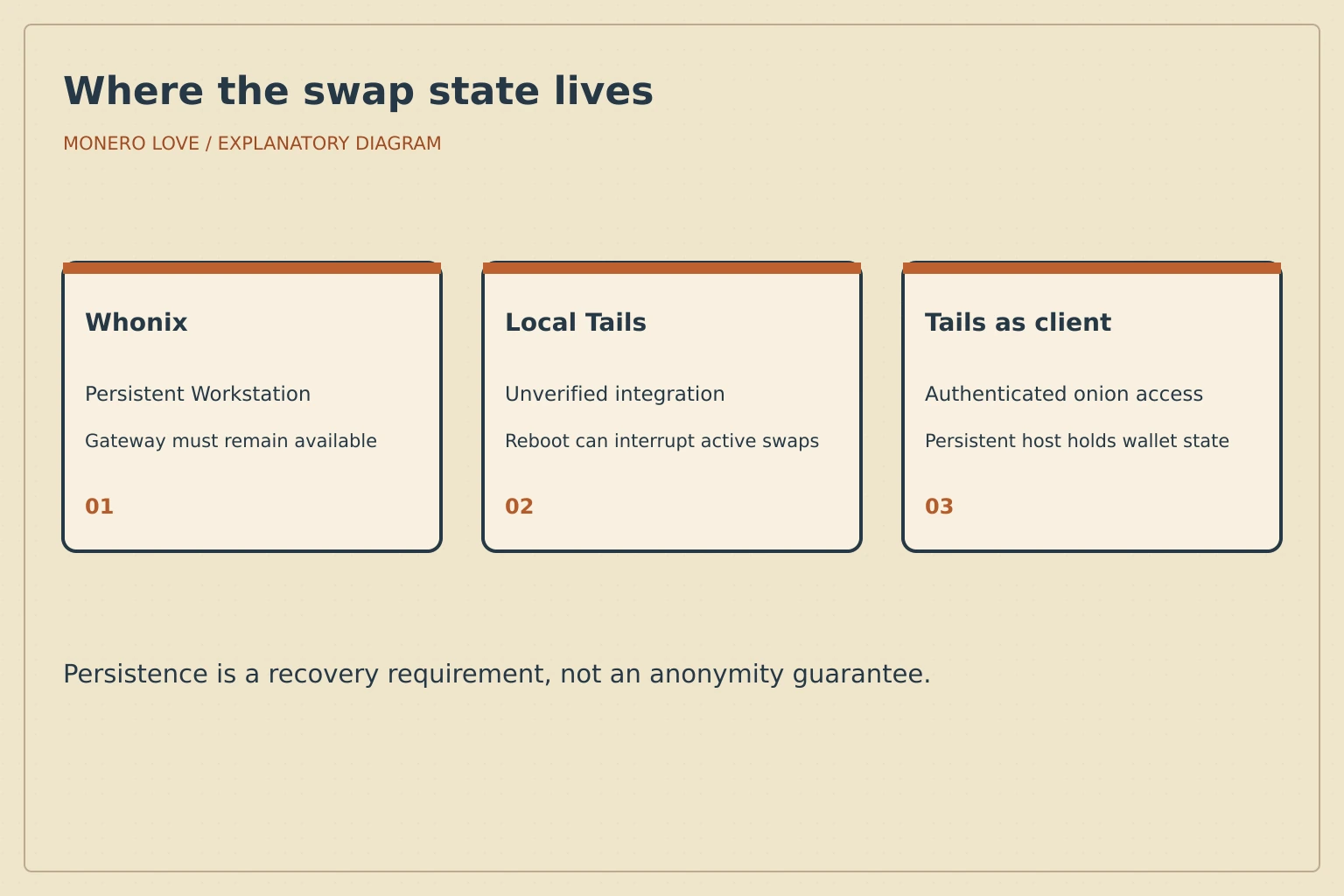
Choose where wallet and trade state will remain after a reboot before installing.
Plan memory and storage
As a starting test allocation, give the Workstation four virtual CPUs, 8 GiB of RAM and at least 100 GiB of expandable disk for the lightweight configuration. This is an editorial planning allowance, not an upstream minimum or a measured benchmark. Leave memory for the Gateway and host. Full coin backends must download and process blockchain history, which adds disk use, bandwidth and synchronization time. Check available disk after initialization and keep space for database growth and backups.
Sleep, power loss and a disconnected Gateway interrupt the processes watching contract deadlines, even if the browser remains open. Do not start a trade just before shutting down or moving the machine.
Credit to ofrnxmr for basicswap-bash
basicswap-bash, maintained by ofrnxmr under the GitHub account nahuhh, bundles installation and everyday BasicSwap maintenance into shell scripts. It provides commands for updating the application, managing coins and configuring client authentication. BasicSwap's own community tools documentation links to it.
Credit to ofrnxmr for doing this practical work. Maintaining installers and update scripts makes BasicSwap easier to run, and that effort deserves support. If basicswap-bash saves you time, consider donating to ofrnxmr using the details in the project README.
The repository documents Linux and WSL installations. That does not establish a tested Whonix or Tails installation. The manual procedure below keeps the Gateway, proxy settings and persistent state explicit. We have not run basicswap-bash in either environment.
Prepare Whonix and install the source
Update both VMs using the current Whonix update procedure. On installations with the user/sysmaint split, boot the SYSMAINT session for administrative work. Do not grant the daily user extra privileges to work around a denied sudo. System-maintenance account
Run the command blocks in Bash. In each VM's maintenance session:
sudo apt update
sudo apt full-upgrade
Install build dependencies only in the Workstation:
sudo apt install --no-install-recommends \
  git python3-venv libpython3-dev gnupg pkg-config gcc libc-dev curl jq
These packages follow the upstream source installation. Whonix documents the APT procedure. Reboot when updates require it, then return to the ordinary user session for the remaining commands.
python3 --version
uname -m
df -h "$HOME"
umask 077
export SWAP_DATADIR="$HOME/coinswaps"
mkdir -p "$SWAP_DATADIR"
python3 -m venv "$SWAP_DATADIR/venv"
. "$SWAP_DATADIR/venv/bin/activate"
git clone --branch v0.19.1 --depth 1 \
  https://github.com/basicswap/basicswap.git "$SWAP_DATADIR/basicswap"
cd "$SWAP_DATADIR/basicswap"
git rev-parse HEAD
python3 -m pip install --require-hashes -r requirements.txt
python3 -m pip install .
basicswap-prepare --help
The reviewed tag resolves to de61f913cbe7c9289dcc735df505daa6f8b19385. A matching commit identifies the reviewed source, but is not an independent signature. Dependency hashes detect changes to the listed files. They do not prove that the code is trustworthy. Preparation also verifies supported coin downloads against their release hashes and signatures. Stop on verification errors. Do not bypass them to finish installation.
Configure Bitcoin and Monero backends
For a smaller installation, choose Bitcoin Electrum mode and a remote Monero daemon. Particl still runs locally, and Monero's wallet RPC remains local even when its blockchain daemon is remote. Electrum servers can associate queried addresses. Remote Monero nodes can observe requests and broadcasts, delay replies or supply misleading data. Tor does not remove those trust relationships. Lightweight modes
For local validation, omit --btc-mode=electrum and the two XMR_RPC_* exports below. Bitcoin's generated configuration uses prune=2000, which limits retained block files, not the initial download or total disk use. Monero's generated daemon configuration enables pruning. Allow plenty of extra disk space and synchronization time rather than treating the pruning target as a storage budget. Bitcoin configuration source · Monero configuration source
For the lightweight route, prefer an onion RPC endpoint verified through the node operator's own documentation. Plain HTTP to a clearnet node leaves the exit-to-node connection unencrypted. Tor does not add TLS to that connection. Enter the documented hostname and RPC port below:
read -r -p 'Monero daemon hostname: ' XMR_RPC_HOST
read -r -p 'Monero daemon RPC port: ' XMR_RPC_PORT
export XMR_RPC_HOST XMR_RPC_PORT
read -r -p 'Verified current Monero height for this NEW wallet: ' XMR_HEIGHT
basicswap-prepare --datadir="$SWAP_DATADIR" \
  --withcoins=bitcoin,monero --btc-mode=electrum \
  --xmrrestoreheight="$XMR_HEIGHT" --trustremotenode=false \
  --htmlhost=127.0.0.1 --wshost=127.0.0.1 --client-auth-password
Use a height checked against an independent source. Restoring an older wallet requires its original restore height, not today's height. Using the password flag without a value opens a prompt. The password then stays out of the command line. Record the generated recovery phrase privately. Never capture that initialization output in a screenshot or shared terminal log. The prepare source confirms these flags, including explicit untrusted-node mode.
Do not run --enabletor in this Whonix recipe. It configures BasicSwap's own Tor instance, whereas Whonix already supplies the network boundary. Start the application:
basicswap-run --datadir="$SWAP_DATADIR"
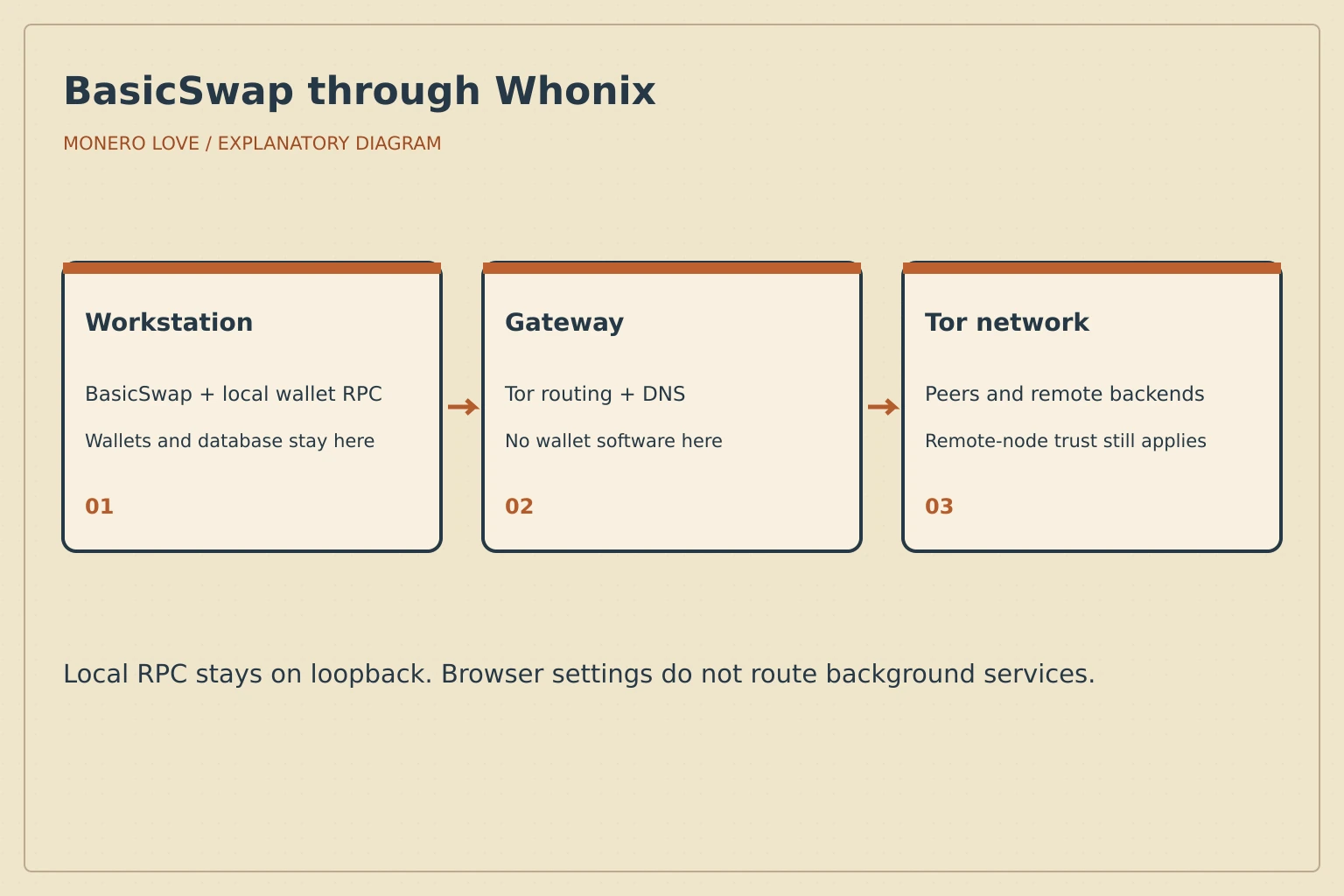
The Gateway routes network traffic. Wallet files and local RPC stay in the Workstation.
Check routing before adding funds
Whonix transparently routes supported Workstation TCP traffic through the Gateway and handles DNS through Tor. Tor Browser preferences do not control BasicSwap's background connections. BasicSwap and its downloader, Particl peers, Electrum servers and Monero daemon connections all need consideration. Optional price lookups add external requests. Whonix stream isolation
Local wallet RPC should stay on loopback. Leave the default VM network arrangement intact and do not add a NAT or bridged adapter to the Workstation. Transparent routing does not provide the same per-application stream isolation as a dedicated SOCKS configuration. A SOCKS-aware application should resolve hostnames through its proxy. Do not point BasicSwap at a guessed Gateway proxy port.
Use these diagnostics in the Workstation:
ip route
cat /etc/resolv.conf
ss -lntp
curl --fail --max-time 60 https://check.torproject.org/api/ip
The final request should report IsTor: true. That checks the request made by curl, not every BasicSwap component. Inspect routes and listeners, then use an unfunded test installation to check each backend. In a controlled test, disconnect the Gateway and confirm those services lose internet connectivity. A successful browser check alone is not a leak test. Whonix leak testing
Open http://127.0.0.1:12700 in the Workstation. Whonix documents a Tor Browser local-connection exception using network.proxy.no_proxies_on with localhost, 127.0.0.1. Use it only in the dedicated Workstation, keep the web password, and understand the local-service fingerprinting trade-off. Do not disable the browser's proxy globally. Local connections
Do not fund this configuration until backend connectivity and routing have been tested.
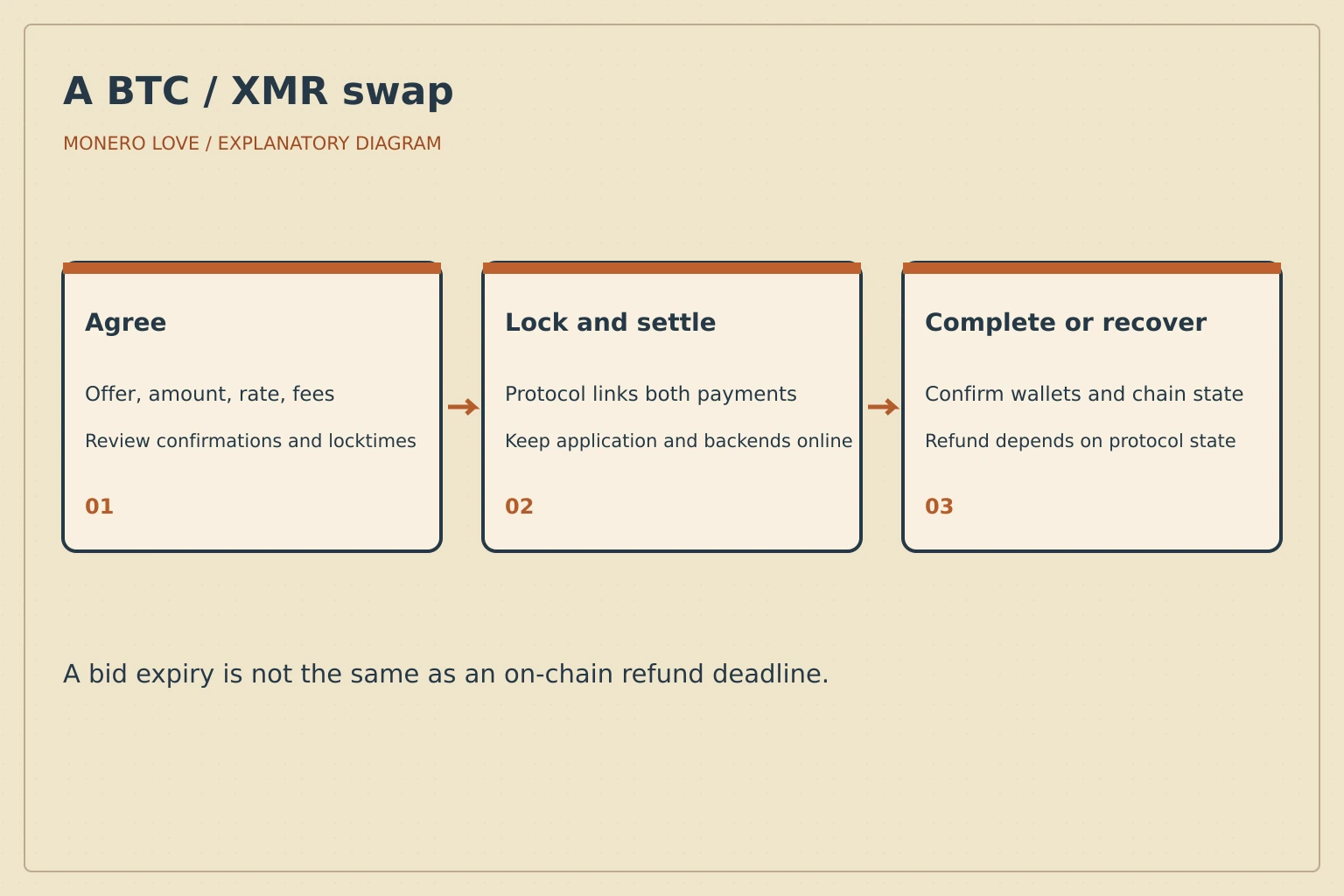
The recovery path depends on the protocol and current bid state.
Walk through a BTC/XMR trade
The following walkthrough follows the documentation. It has not been tested here. Start by checking Wallets: both coins must be enabled, connected and ready. Compare backend heights and allow wallet scanning to finish. For the spending coin, check the unlocked amount and leave a fee reserve.
Fund the receiving address displayed by your own BasicSwap wallet, not an address sent by a purported support agent. A small first trade must still meet the offer minimum and cover fees. No amount makes an unverified configuration safe.
Open Order Book, filter the coins and choose Swap on a suitable offer. Review Sending and Receiving carefully, because the offer describes its creator's side. Check the rate, available amount, minimum, confirmation requirements and contract lock time. Minutes valid controls how long a bid awaits acceptance, not the on-chain recovery deadline. Enter the amount, select Send Bid, review the confirmation dialog and confirm only when ready. Taking an offer
To make an offer instead, open Create Single Offer, choose the sending and receiving coins, and review amount, rate, minimum bid and expiry before submitting. Keep the offered funds available. An advertised price is not evidence of liquidity or a guaranteed counterparty. Review incoming bids individually unless you have deliberately configured and tested automatic acceptance. Creating an offer
In Bids, open the trade and inspect Show More Info for transactions and events. Keep the application and backends running. Confirm the completed state against the resulting wallet balance and chain confirmations. If a bid expires before acceptance, no swap funds should have been locked. Once funded, preserve the database and follow the specific recovery state instead of starting over.
A failed funded swap can require waiting for the contract timeout before its refund path becomes spendable. The negotiated protocol determines that interval. Keep the original data directory, coin wallets and bid events. Reopen the same installation and consult the documented recovery procedure for its state. Do not try to recover by deleting the database, rerunning initialization or importing the seed into another swap client.
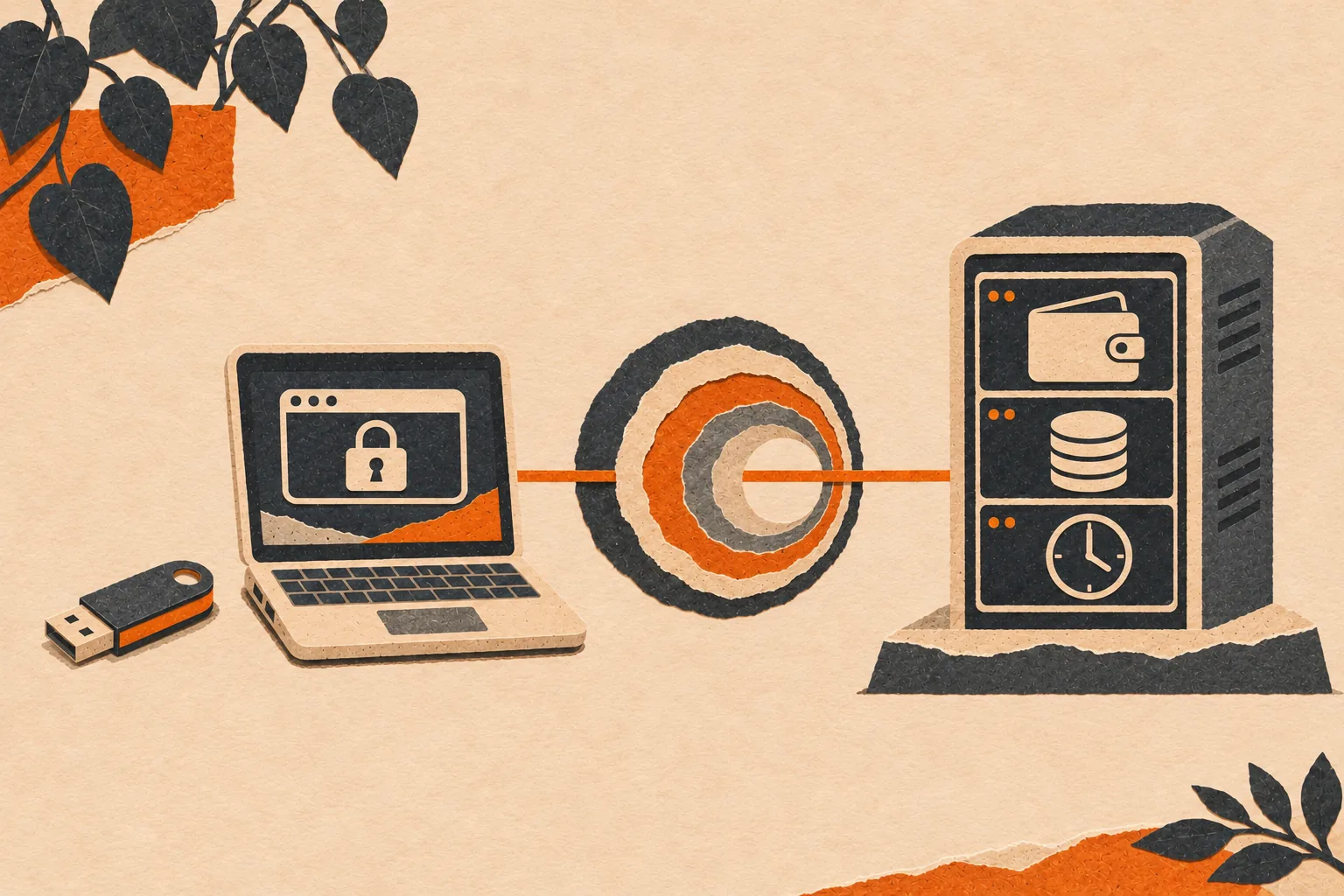
The browser can close while the persistent host continues tracking the swap.
Use Tails as a remote client
Tails 7.16 was released October 30, 2026. Its Persistent Storage can retain selected files, but saving a directory does not make a custom service restart correctly or obey the firewall. The Additional Software feature handles Debian packages. It does not automatically maintain a BasicSwap source checkout, virtual environment and coin daemons.
We have not verified a local BasicSwap installation on Tails. Reboots interrupt swaps, ordinary session files disappear, and blockchain synchronization competes with USB storage. Keep BasicSwap on a persistent host and use Tails for access. Wallets and active swap state then survive closing the browser.
Restrict the remote interface
The following is a source-checked deployment proposal for a separate Debian host, not Whonix-Gateway. It still needs a Tor Browser acceptance test. Install BasicSwap with the source steps above, use an encrypted disk and keep loopback bindings. On this ordinary Linux host, outbound Tor routing needs its own configuration. BasicSwap labels that integration experimental. Tor integration
Install tor through Debian, stop BasicSwap, and configure separate local ports to avoid the system Tor listener:
BSX_LOCAL_TOR=true TOR_PROXY_PORT=9060 TOR_CONTROL_PORT=9061 \
  TOR_DNS_PORT=5363 basicswap-prepare --datadir="$SWAP_DATADIR" \
  --enabletor --trustremotenode=false
Before starting this Tor instance, create client authorization using the Tor Project's X25519 procedure. Keep the private credential on Tails in encrypted Persistent Storage. Transfer only its public key to the host. Prepare the service directory as the same unprivileged account that will run Tor:
umask 077
mkdir -p "$SWAP_DATADIR/onion/authorized_clients"
read -r -p 'Client X25519 public key, base32: ' BSX_CLIENT_PUBLIC
[[ "$BSX_CLIENT_PUBLIC" =~ ^[A-Z2-7]{52}$ ]] || exit 1
printf 'descriptor:x25519:%s\n' "$BSX_CLIENT_PUBLIC" \
  > "$SWAP_DATADIR/onion/authorized_clients/tails.auth"
chmod 700 "$SWAP_DATADIR/onion" "$SWAP_DATADIR/onion/authorized_clients"
chmod 600 "$SWAP_DATADIR/onion/authorized_clients/tails.auth"
Add this block to $SWAP_DATADIR/tor/torrc, substituting the absolute data-directory path. Tor does not expand $HOME inside its configuration:
HiddenServiceDir /home/YOUR_USER/coinswaps/onion
HiddenServicePort 80 127.0.0.1:12700
HiddenServicePort 11700 127.0.0.1:11700
Both ports belong to the same authenticated onion service. Version 0.19.1 uses port 11700 for WebSocket updates. Its origin check does not authenticate the client. Protect that port with onion-service client authorization. WebSocket access check
Start Tor in one terminal:
tor --verify-config -f "$SWAP_DATADIR/tor/torrc"
tor -f "$SWAP_DATADIR/tor/torrc"
Read the generated onion/hostname locally. With BasicSwap stopped, add http://YOUR_56_CHARACTER_HOSTNAME.onion to its allowed_hosts list in basicswap.json. Preserve existing settings. Do not use a wildcard or disable cross-origin protection. Restart BasicSwap in another terminal. Web authentication
Keep inbound firewall access denied to UI, WebSocket, SOCKS, control and wallet-RPC ports. Leave public inbound ports closed when using onion forwarding. In Tails Tor Browser, visit the private onion address and supply its client credential when prompted, then the BasicSwap web password. The onion connection is encrypted even with an http:// URL. Test refusal from an unauthorized client before funding. Onion services
This interface requires JavaScript. Tor Browser's strict security levels can block it. Do not weaken global browser protections to force a trade through. Verify login, forms and live updates in an unfunded session first. This compatibility check remains outstanding.
A compromised host can steal wallet keys, and a compromised client can change a trade you approve.
Before leaving a remote host unattended, arrange a supervised start for both Tor and BasicSwap and test a clean restart with empty wallets. Closing a terminal can stop a foreground process. Supervised host processes continue independently of the Tails browser. Automatic restart is useful, but restoring stale swap state is not.
Store a backup copy of the onion client credential separately from the Tails stick. Losing it does not lose the wallets on the host, but it can prevent access when a swap needs attention. Anyone with that credential can connect, so keep the separate BasicSwap login password.
Backups and troubleshooting
Keep the recovery phrase and original Monero restore height separately from the host. With BasicSwap stopped cleanly, back up the whole data directory to encrypted storage. The phrase restores wallets, not db.sqlite or active swap state. Finish swaps before migration, and never run two restored copies of the same active state. Wallet encryption and the web-login password are separate controls. Backup and recovery
| Symptom | Check before changing anything |
|---|---|
| Command missing or dependency error | Activate the intended virtual environment, run python3 -m pip check, inspect the first installation error |
| Tor or DNS failure | Run the routing diagnostics, check Gateway health and proxy settings, never disable isolation |
| Wallet RPC error | Inspect loopback listeners and the relevant daemon log, do not publish credentials |
| Stalled synchronization | Check disk space, peer/backend availability and whether wallet scanning still runs |
| Insufficient funds | Check unlocked balance, offer minimum and fees, not just the total balance |
| Timed-out or interrupted swap | Resume the original application state and read the bid events before attempting recovery |
| Database error | Stop cleanly and preserve the directory, do not delete or reset the database |
| Tails files missing | Confirm Persistent Storage was unlocked and the files were saved inside it |
| Onion inaccessible | Check Tor logs and authorization files, a malformed client file can leave a service unauthenticated |
| Page loads but actions fail | Check exact allowed_hosts origin, login state and WebSocket forwarding |
Use df -h "$SWAP_DATADIR", ss -lntp and the application's terminal output before editing configuration. Redact secrets and private addresses from support material. The upstream troubleshooting guide is the next stop when an error depends on a coin or version.