Monero
Try FCMP++ and Carrot Without Touching Your Main Wallet
Try Monero's FCMP++ and Carrot beta stressnet with separate software, data, and test keys. Check compatibility, privacy limits, and bug-reporting precautions.

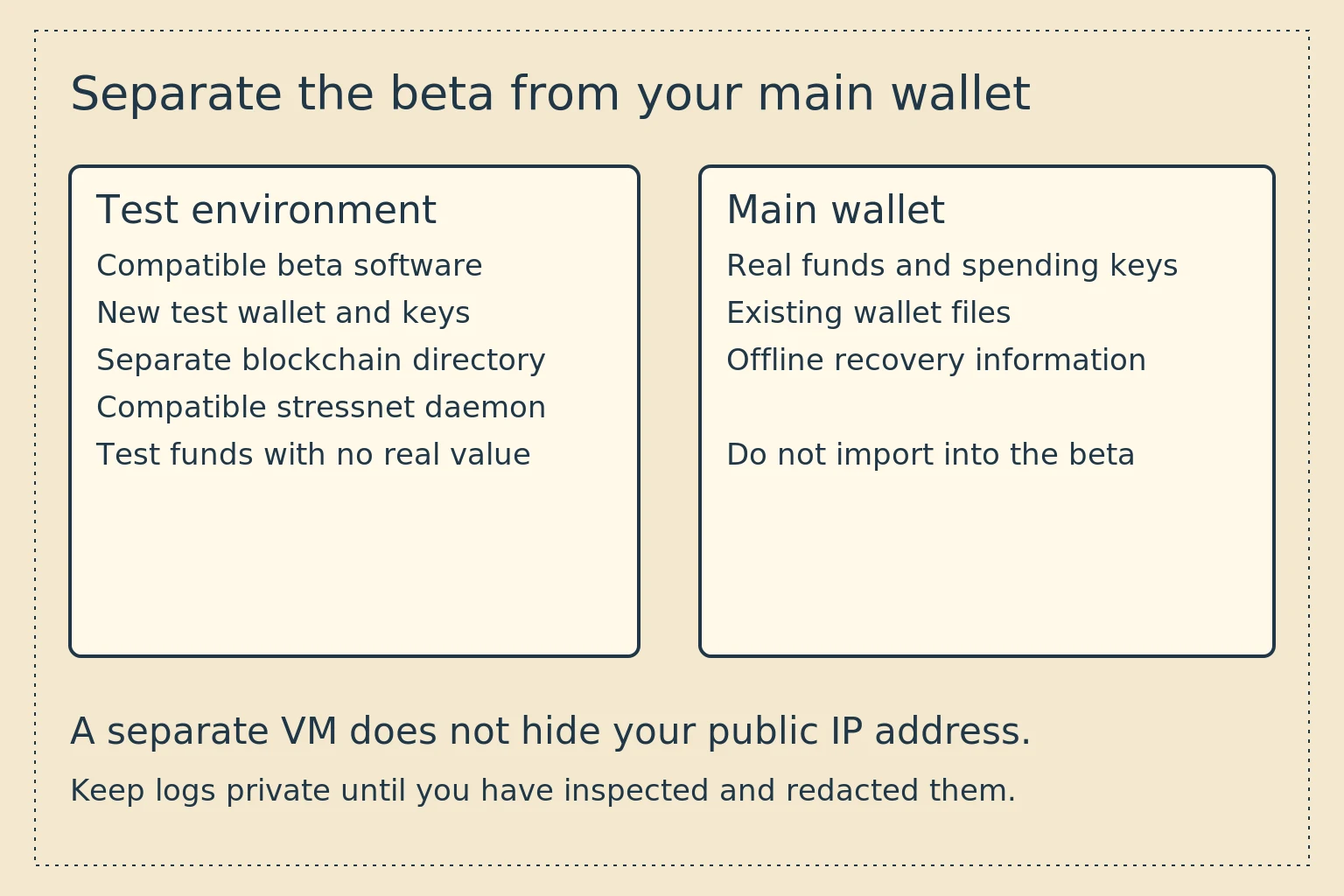
You can help test FCMP++ and Carrot without opening your main Monero wallet. Use a separate environment, the compatible test software, a new test wallet, and test-network funds. Do not restore your main wallet's seed into beta software.
As checked on November 8, 2026, the latest release in the developers' stressnet repository is v0.19.0.0-beta.3.1, published October 26 and marked as a prerelease. Use these instructions only for the stressnet. We checked the commands against that release and its source. We have not synchronized this network or sent a test transaction for this article.
Start at the beta 3.1 release page, and check for a newer release before downloading anything.
FCMP++ and Carrot on the beta network
FCMP++ proposes replacing Monero's ring-signature membership proof with a proof covering a much larger set of eligible outputs. The aim is to remove the small, explicitly selected ring as the boundary of that proof. It is not a promise to hide every network connection or user action. The Monero project's FCMP++ explanation describes the proposal and its motivation.
Carrot changes the addressing and output-construction protocol. Its design includes changes to output security and viewing capabilities, with compatibility for existing address formats. The Carrot specification repository is the primary reference. Address-format compatibility does not mean that an older wallet can process every new transaction format.
The beta 3 network forked from Monero's existing testnet at block 3,102,800 on October 5, 2026. The beta's --testnet flag selects this software's test environment. That does not make its post-fork chain interchangeable with the one followed by ordinary stable testnet software. Beta 3 release and compatibility notes.
The latest stable mainnet CLI release checked for this guide was Monero v0.18.5.4. FCMP++ and Carrot remain proposed mainnet changes. Testing their integration does not establish a mainnet deployment date.
Choose an environment with no real wallet secrets
A dedicated test computer or virtual machine keeps the beta's files and executables away from your everyday wallet. For a VM, avoid sharing the host's wallet directories, removable wallet devices, or a clipboard containing secrets. Virtualization is a useful boundary, but a compromised host can still undermine it.
Make a fresh test wallet. Do not import a mainnet seed, private key, hardware-wallet account, or production wallet file. Merely choosing a different network flag does not make it safe to give experimental software your real spending secrets.
Keep a separate backup of any test wallet state you need for reproducing a bug. If you adapt an existing test environment, preserve a stopped copy before a database migration. Starting with an empty directory avoids a migration from an older database or wallet cache.
Keep the test environment available for investigation until you have recorded useful failure details. Deleting it immediately after an error can discard the state developers need to reproduce the problem.
Download the matching software
Use the assets on the developers' release page for your operating system and architecture. The release provides daemon, CLI, RPC, and GUI software. Follow any verification instructions accompanying the selected release, and check its repository and tag carefully.
A checksum comparison can detect a different file, but a checksum from the same compromised download source does not independently authenticate the publisher. Do not substitute the stable mainnet release's signature or hash list for this beta's files. If the provenance available for the beta does not meet your requirements, do not run it.
Building from source is an alternative for readers who can review the build process and dependencies. The release links a build script, but copying a script from a web page into a shell without reviewing it is not a verification procedure. This beginner guide uses the supplied binaries and does not require running that script.
Use the wallet and daemon from the compatible beta release together. Connecting the beta wallet to an ordinary public Monero node is not a way to participate in this stressnet.
A separate Linux CLI setup
The following example runs inside a dedicated Linux test environment, from the directory containing the extracted beta binaries. The directory names are examples. Choose new paths, and do not point them at an existing production installation.
First check the executables and create separate locations:
./monerod --version
./monero-wallet-cli --version
mkdir -p "$HOME/fcmp-carrot-test/chain"
mkdir -p "$HOME/fcmp-carrot-test/wallets"
Compare the reported versions with the downloaded release. Stop if you have invoked an old binary. Keeping the explicit ./ path helps distinguish the extracted program from another installed copy.
Start the beta daemon in that terminal:
./monerod --testnet \
  --data-dir "$HOME/fcmp-carrot-test/chain" \
  --rpc-bind-ip 127.0.0.1 \
  --rpc-bind-port 28081
The RPC address is loopback, for a wallet in the same environment. This does not hide the daemon's P2P traffic. The daemon uses its network-specific directory beneath the selected data directory. Leave it running and wait for synchronization before interpreting wallet results.
In a second terminal in the same test environment, create a new wallet:
./monero-wallet-cli --testnet \
  --daemon-address 127.0.0.1:28081 \
  --generate-new-wallet "$HOME/fcmp-carrot-test/wallets/practice"
Follow the password and new-wallet prompts. Store the generated test recovery information privately if you want to reuse the wallet. Do not paste it into a report even though these funds have no monetary value.
The network selector and port follow the release instructions. The tagged beta CLI source registers the wallet-creation option. The beta RPC argument parser and daemon RPC source define the listener settings. Our monerod reference explains daemon concepts, but its stable-release inventory is not a completeness claim for this beta.
For the beta GUI, select testnet in advanced settings and use the compatible daemon, with port 28081 for this local setup. Create a new wallet in the separate test directory. Do not let a familiar-looking GUI lead you to open an existing main wallet.
Try a small test transfer
Follow the current stressnet community instructions linked from the release to obtain test coins. We have not verified a working faucet, so this guide does not provide one or promise that coins are immediately available. Never pay real XMR or disclose a real wallet seed to obtain test funds.
Create a second fresh test wallet as the recipient, or arrange a transfer with another tester. Copy its test address, send a small test amount, and check detection, confirmation, and eventual spendability in the receiving wallet. Record the versions, relevant heights, and exact operation if something fails.
Test funds have no real value. Their purpose is to exercise the software. A balance disappearing after a test-chain reset is not a mainnet loss, and a successful test transfer is not evidence that the software is ready for real funds.
The beta 3.1 notes list hardware wallets, multisig, and transaction proofs as not yet functional. Do not use those workflows as if the release supported them. The transaction-key and payment-proof guide covers stable Monero software, whose proof commands are outside this beta's supported workflows.
Network privacy and version-specific bugs
The release warns that the stressnet has a small population of nodes. Peers can see your node's IP address, or the address of a proxy you deliberately configured. A separate VM does not conceal your public IP. Participation may be unsuitable if identifying you as a tester would create a serious risk.
Beta 3.1 fixes a stressnet bug that allowed Carrot outputs in ring signatures during a 24-hour window after the initial fork. Its release notes describe a detectable inflation vulnerability in that test environment. This is not a report of a mainnet inflation incident. Other changes address relay and wallet tree-building denial-of-service risks. Beta 3.1 changes.
Earlier beta databases and wallet caches are not all interchangeable. Beta 3.0's notes require users of previous stressnet generations to resynchronize or start from a compatible ordinary testnet database. Do not interpret an older database that fails to open as proof that a current clean setup is broken.
Report a reproducible problem without publishing secrets
Use the stressnet repository's issue tracker. Include the release tag, operating system, whether it was a clean setup, and a short sequence of actions that reproduces the issue. Say whether you used your own daemon or a remote one. Distinguish what you observed from your explanation of its cause.
The developers request detailed logs, including level 2 where possible. Before sharing, inspect them for wallet addresses, transaction identifiers, network addresses, paths containing your name, credentials, and key material. Keep a private original and redact the shared copy. Explain redactions that could affect reproduction.
Do not attach wallet key files or seeds to a public issue. If developers need sensitive diagnostic material, agree on an appropriate private process first. Keep main-wallet files and recovery information outside the test environment throughout the process.